

Task Management for Financial Advisors


Believe in the System
We're big believers in systems.
If you have an assistant, or an entire team, it's worth taking the time to optimize how you delegate, track tasks, and collaborate. The right structure saves time, reduces errors, and keeps everyone aligned. Here's how to do that using Toolkit.
1. Create tasks in the dedicated Task Center
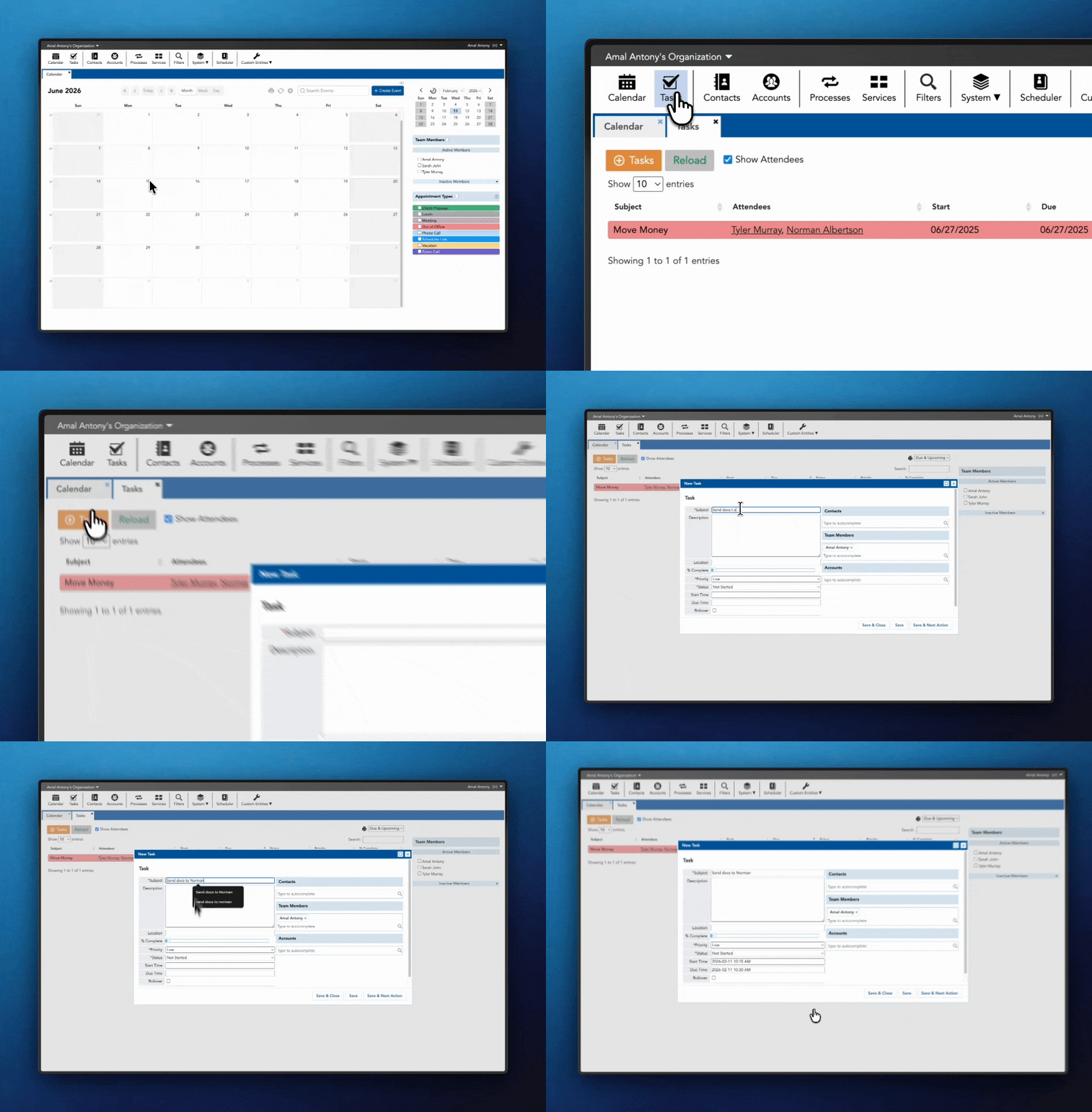
Instead of scribbling notes on paper or letting action items disappear in email, create the task directly inside Toolkit.
Now everything lives in one place. You can instantly see what's due, what's overdue, and what your team is working on, without sending follow-up messages or chasing anyone down.
2. Assign the task to the right team member and link it to the client
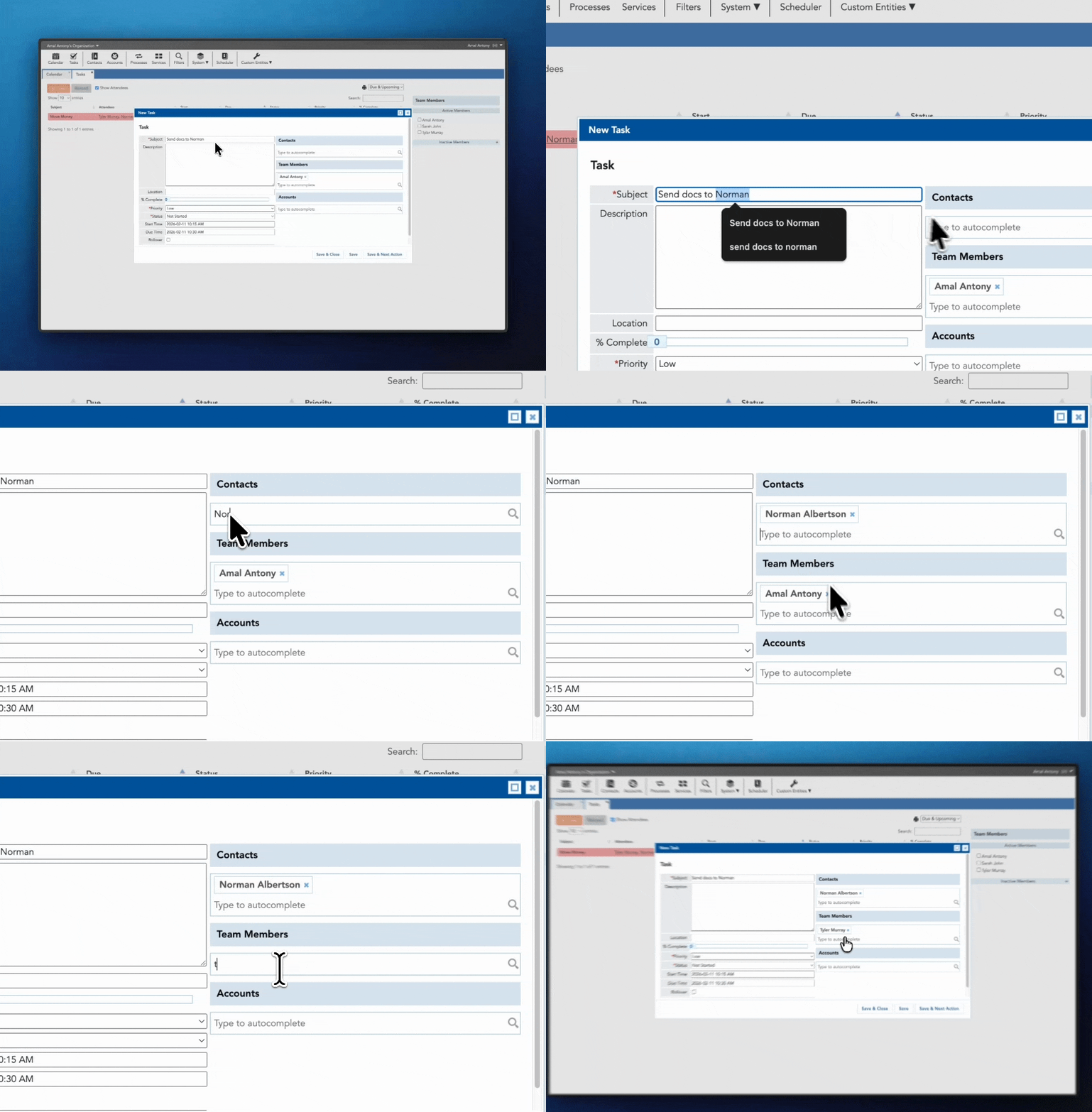
Once the task is created, assign it to the appropriate team member and connect it to the client record.
Six months from now, when you open that client file, you'll see exactly what was done, who handled it, and when it was completed. No second-guessing. No "I'm pretty sure we took care of that."
3. Every task becomes part of the client history
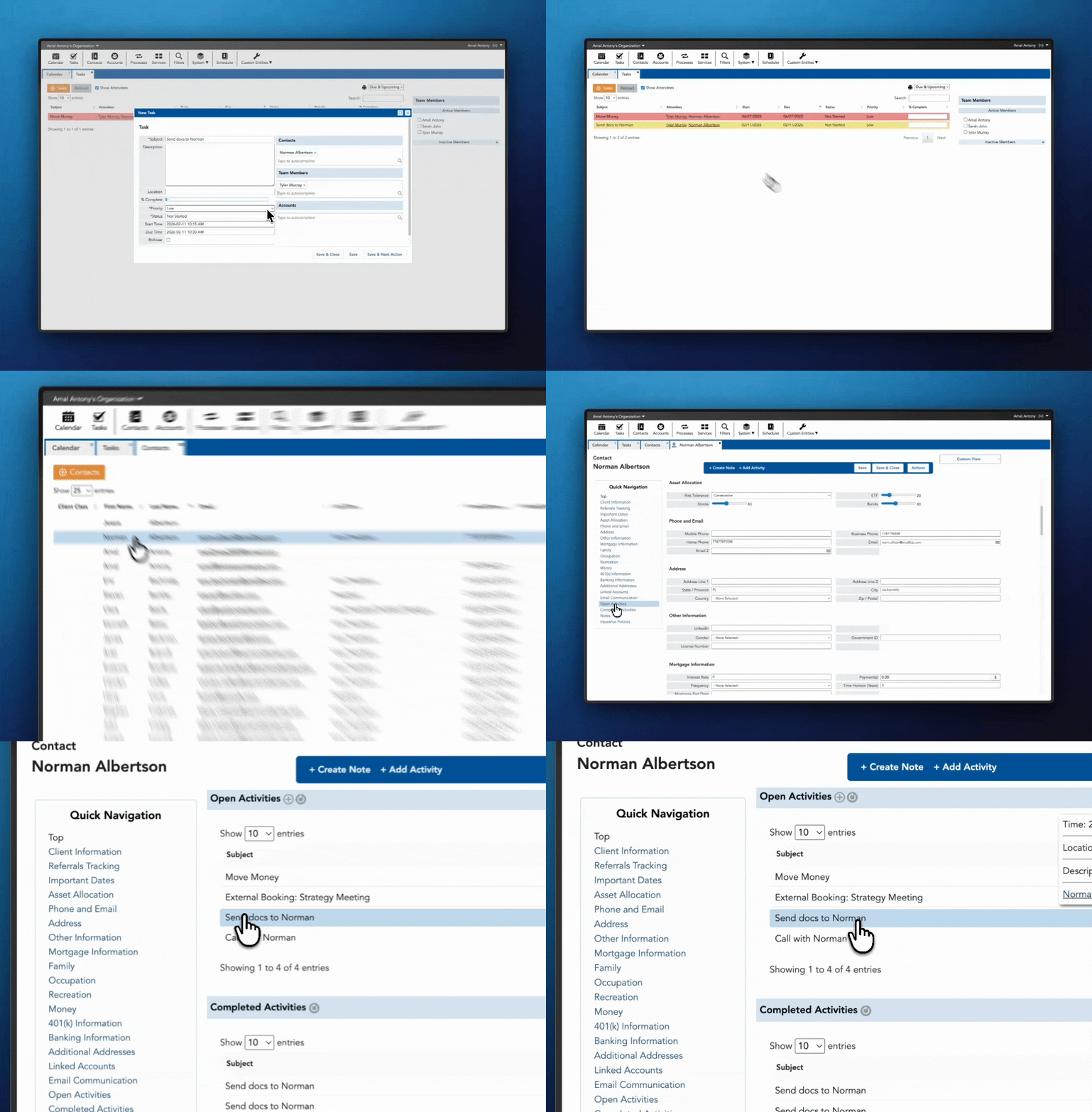
Because the task is tied directly to the client, it's automatically recorded in their history.
Every request, every follow-up, every completed item stays documented. That's how you maintain continuity, strengthen compliance, and protect the client experience as your team grows.
Pro Tip: Use Automated Processes for repeatable workflows
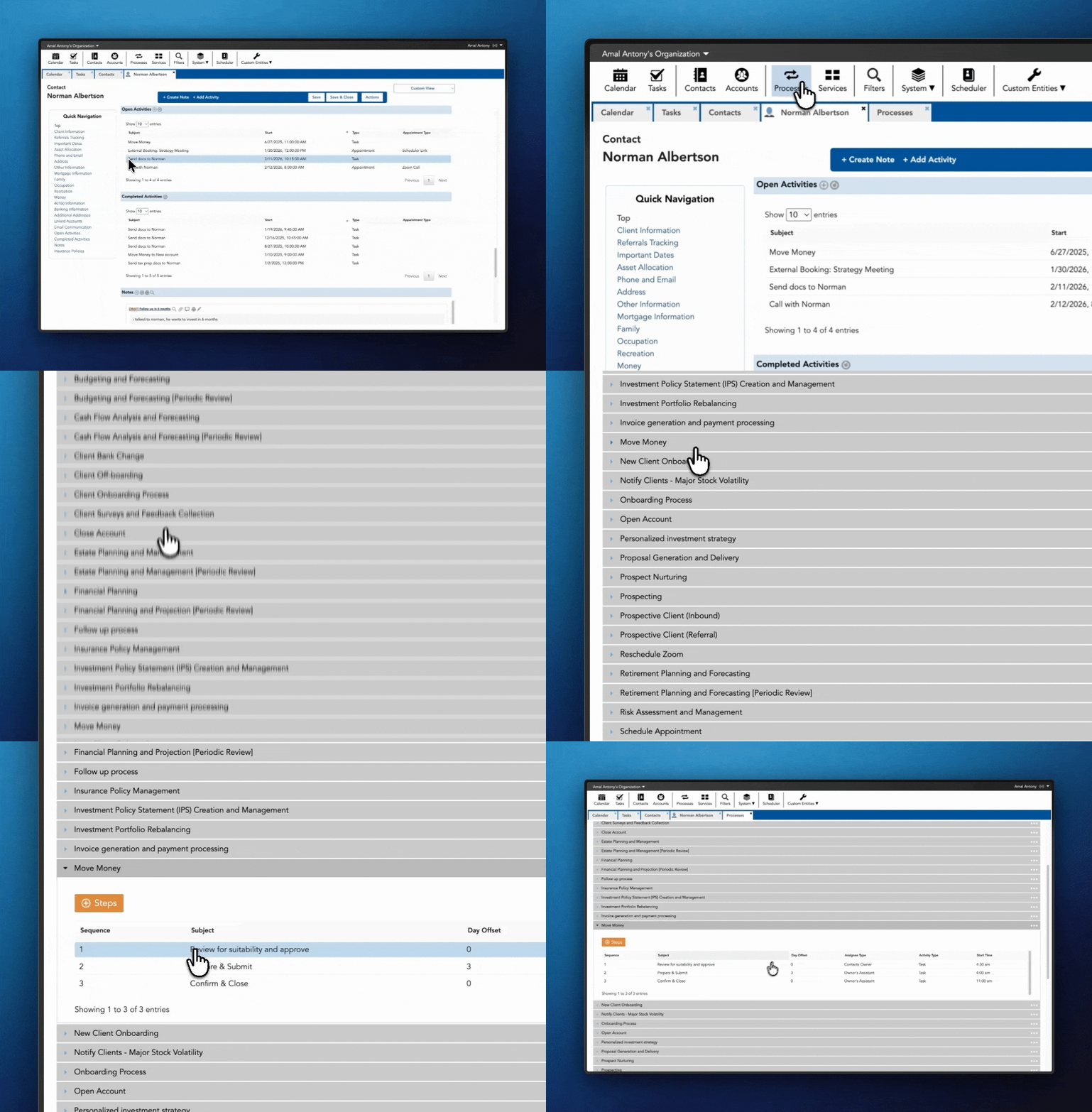
If you're doing the same set of tasks repeatedly - onboarding, annual reviews, insurance updates - don't rebuild the checklist every time.
- Create the process once
- Set the tasks
- Assign the roles
- Define the timing
Then apply it to a client, and Toolkit builds the workflow automatically. That's how you scale without adding unnecessary complexity.
Author: Amal Anthony Toolkit CRM Content & Media